More about Dapr Secrets
Learn more about how to use Dapr Secrets:
- Try the Secrets quickstart.
- Explore secrets via any of the supporting Dapr SDKs.
- Review the Secrets API reference documentation.
- Browse the supported secrets component specs.
This is the multi-page printable view of this section. Click here to print.
Learn more about how to use Dapr Secrets:
Applications usually store sensitive information in secrets by using a dedicated secret store. For example, you authenticate databases, services, and external systems with connection strings, keys, tokens, and other application-level secrets stored in a secret store, such as AWS Secrets Manager, Azure Key Vault, Hashicorp Vault, etc.
To access these secret stores, the application imports the secret store SDK, often requiring a fair amount of unrelated boilerplate code. This poses an even greater challenge in multi-cloud scenarios, where different vendor-specific secret stores may be used.
Dapr’s dedicated secrets building block API makes it easier for developers to consume application secrets from a secret store. To use Dapr’s secret store building block, you:
The following overview video and demo demonstrates how Dapr secrets management works.
The secrets management API building block brings several features to your application.
You can call the secrets API in your application code to retrieve and use secrets from Dapr supported secret stores. Watch this video for an example of how the secrets management API can be used in your application.
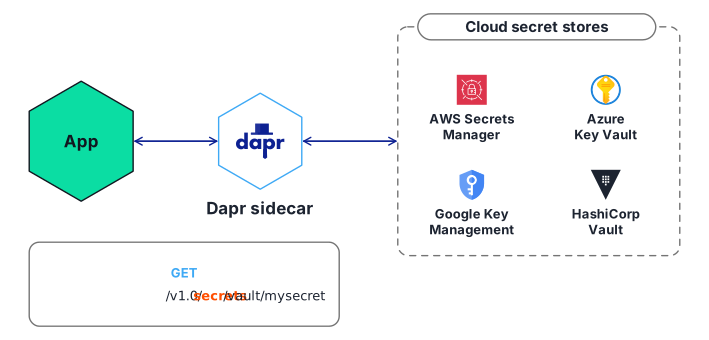
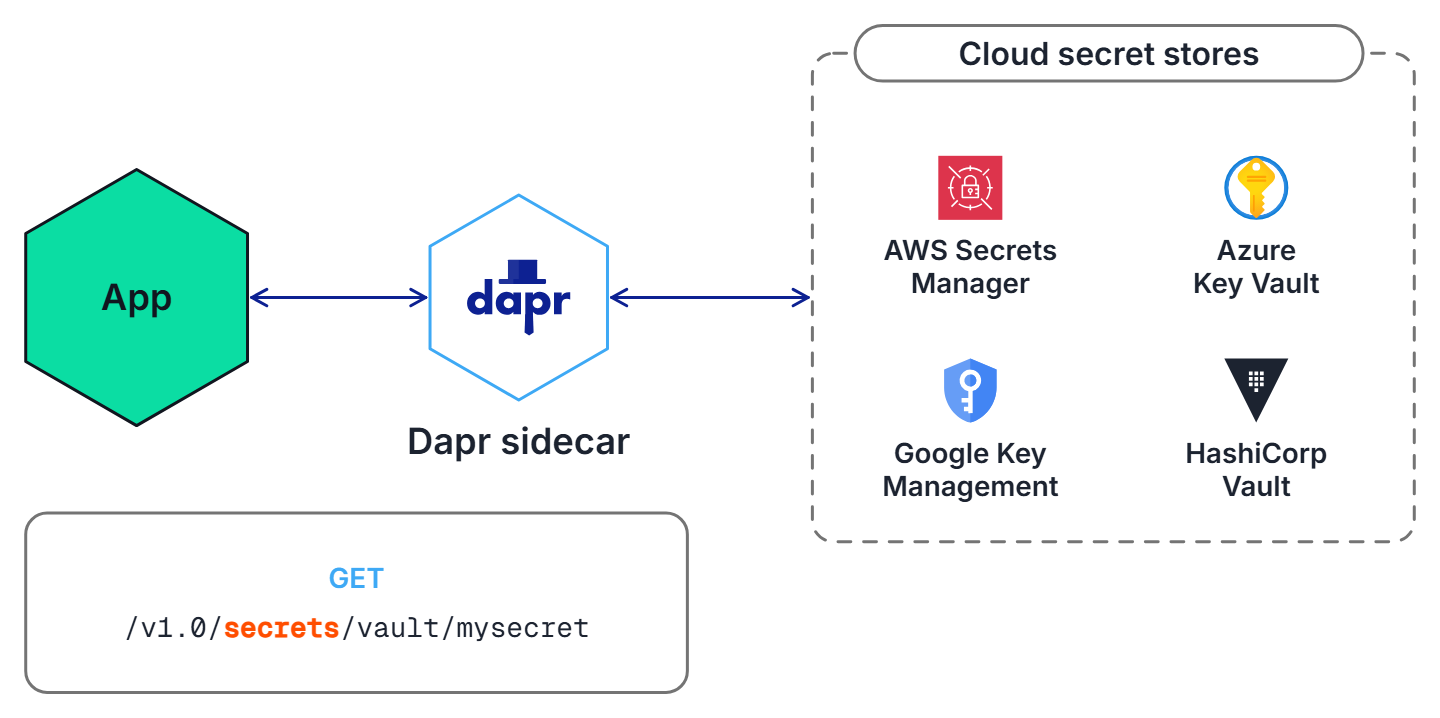
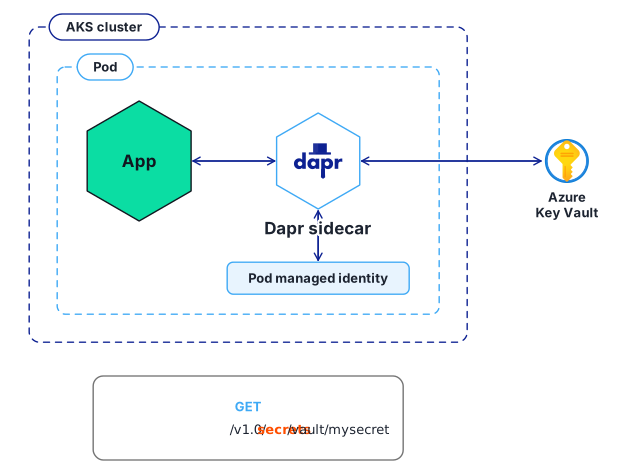
For example, the diagram below shows an application requesting the secret called “mysecret” from a secret store called “vault” from a configured cloud secret store.
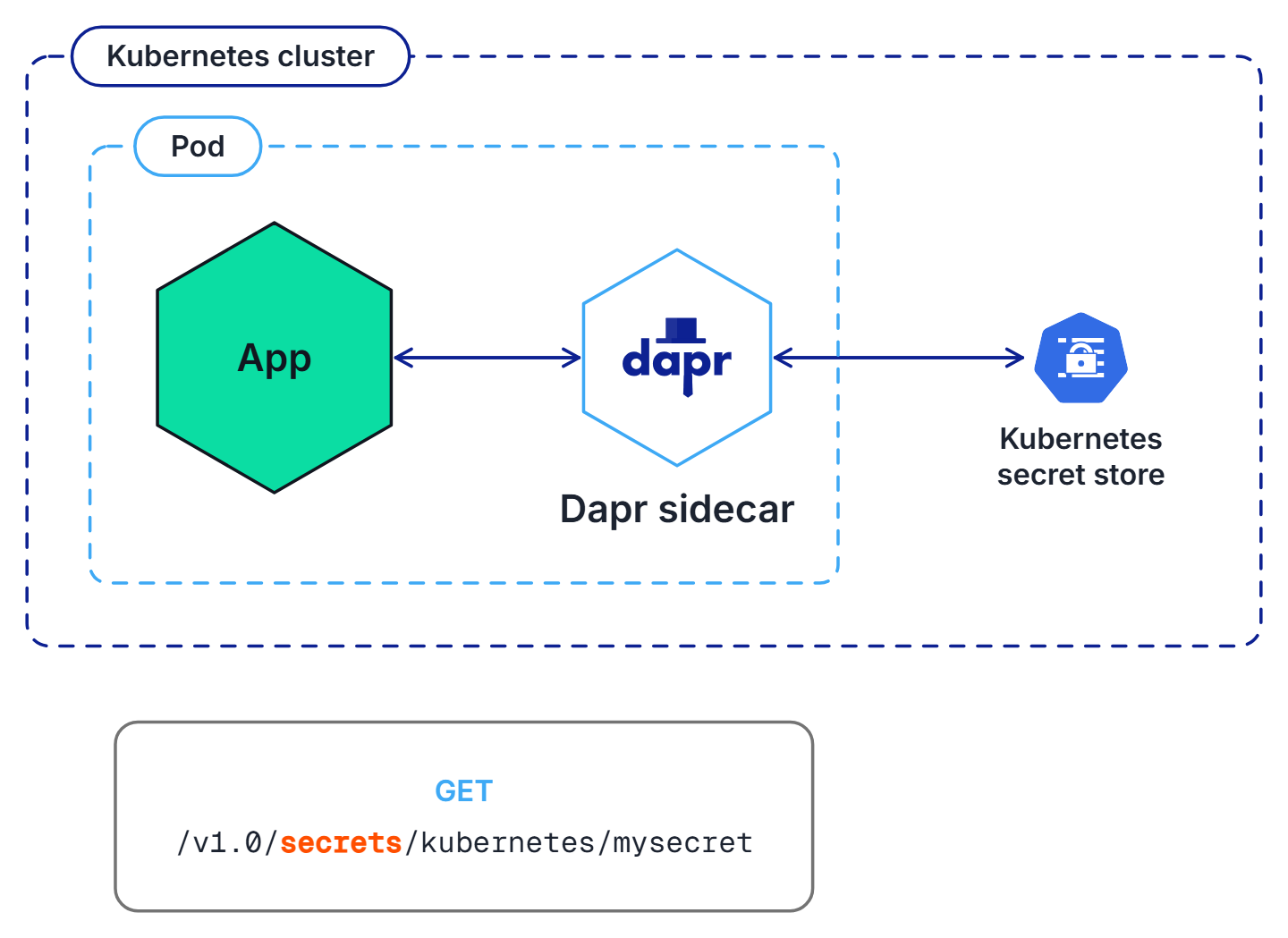
Applications can also use the secrets API to access secrets from a Kubernetes secret store. By default, Dapr enables a built-in Kubernetes secret store in Kubernetes mode, deployed via:
dapr init -kIf you are using another secret store, you can disable (not configure) the Dapr Kubernetes secret store by adding the annotation dapr.io/disable-builtin-k8s-secret-store: "true" to the deployment.yaml file. The default is false.
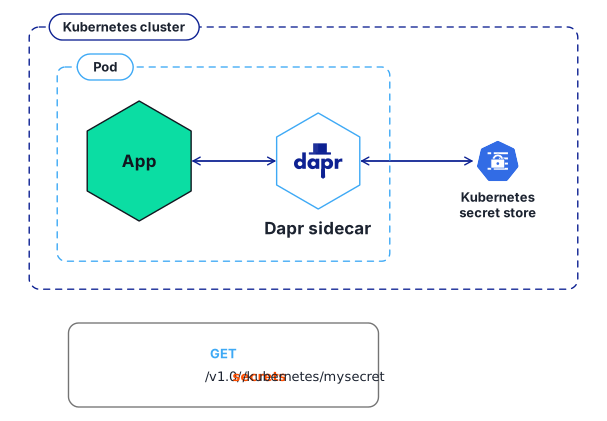
In the example below, the application retrieves the same secret “mysecret” from a Kubernetes secret store.
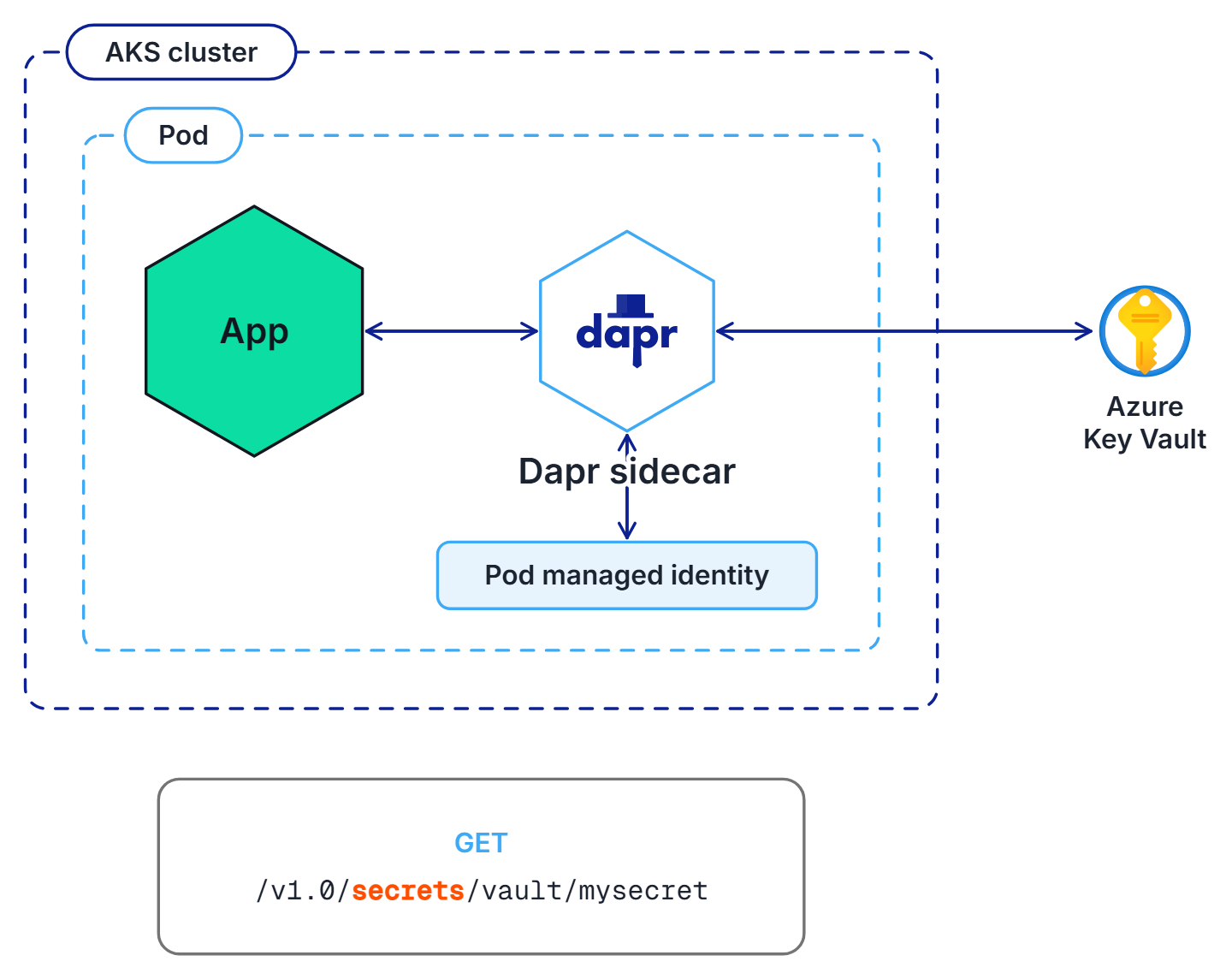
In Azure, you can configure Dapr to retrieve secrets using managed identities to authenticate with Azure Key Vault. In the example below:
In the examples above, the application code did not have to change to get the same secret. Dapr uses the secret management components via the secrets management building block API.
Try out the secrets API using one of our quickstarts or tutorials.
When configuring Dapr components such as state stores, you’re often required to include credentials in components files. Alternatively, you can place the credentials within a Dapr supported secret store and reference the secret within the Dapr component. This is the preferred approach and recommended best practice, especially in production environments.
When running in Kubernetes and referencing secrets from the built-in Kubernetes secret store, Dapr also automatically reloads components when the referenced secret values change, for example when a credential is rotated, without restarting the application. This is enabled by default using the hot reloading feature.
For more information, read referencing secret stores in components and updating referenced secrets.
To provide more granular control on access to secrets, Dapr provides the ability to define scopes and restricting access permissions. Learn more about using secret scoping
Want to put the Dapr secrets management API to the test? Walk through the following quickstart and tutorials to see Dapr secrets in action:
| Quickstart/tutorial | Description |
|---|---|
| Secrets management quickstart | Retrieve secrets in the application code from a configured secret store using the secrets management API. |
| Secret Store tutorial | Demonstrates the use of Dapr Secrets API to access secret stores. |
Want to skip the quickstarts? Not a problem. You can try out the secret management building block directly in your application to retrieve and manage secrets. After Dapr is installed, you can begin using the secrets management API starting with the secrets how-to guide.
Now that you’ve learned what the Dapr secrets building block provides, learn how it can work in your service. This guide demonstrates how to call the secrets API and retrieve secrets in your application code from a configured secret store.
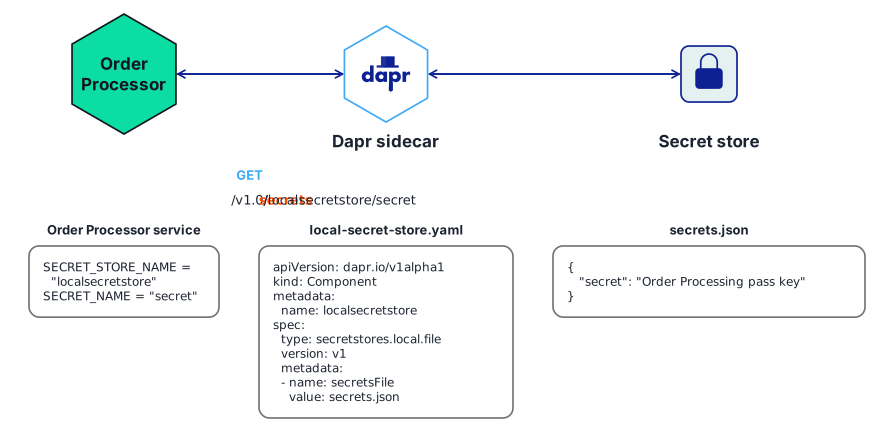
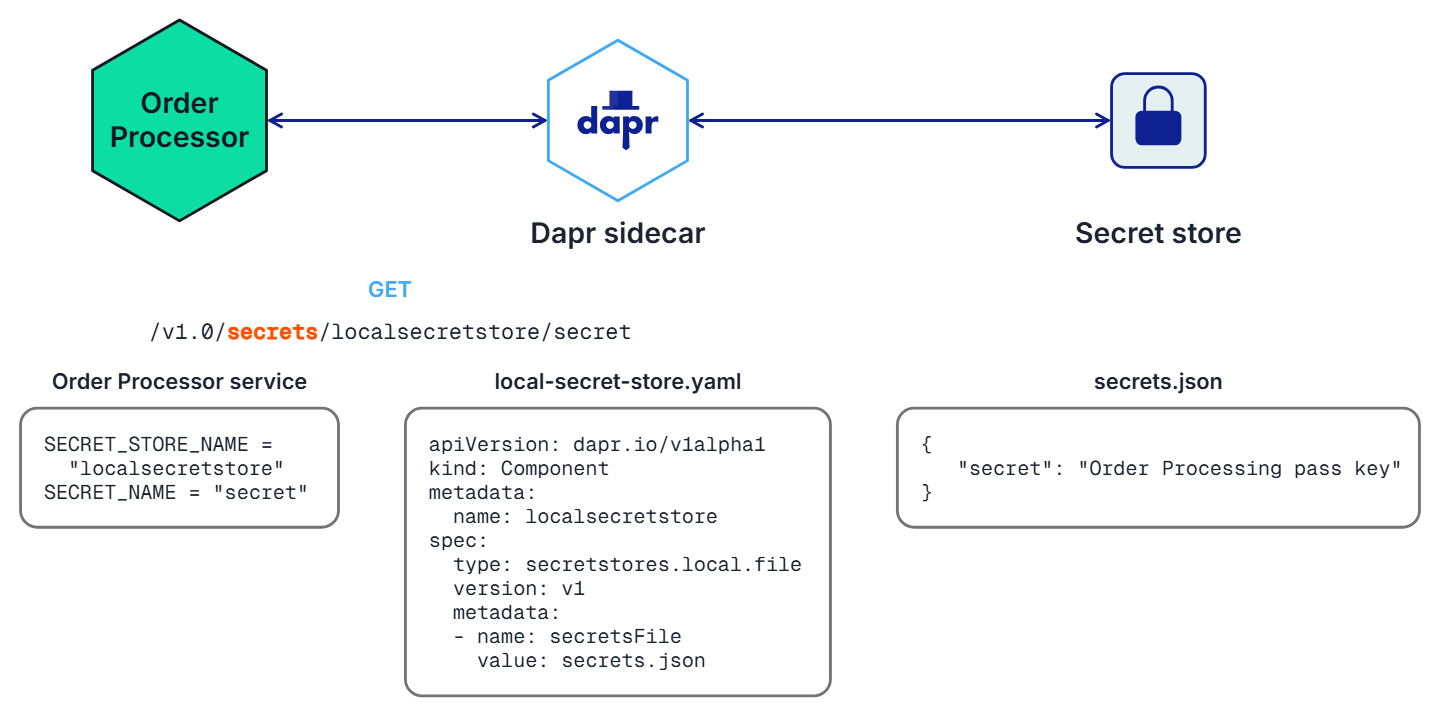
Before retrieving secrets in your application’s code, you must configure a secret store component. This example configures a secret store that uses a local JSON file to store secrets.
In your project directory, create a file named secrets.json with the following contents:
{
   "secret": "Order Processing pass key"
}
Create a new directory named components. Navigate into that directory and create a component file named local-secret-store.yaml with the following contents:
apiVersion: dapr.io/v1alpha1
kind: Component
metadata:
  name: localsecretstore
spec:
  type: secretstores.local.file
  version: v1
  metadata:
  - name: secretsFile
    value: secrets.json  #path to secrets file
  - name: nestedSeparator
    value: ":"
dapr run.For more information:
Get the secret by calling the Dapr sidecar using the secrets API:
curl http://localhost:3601/v1.0/secrets/localsecretstore/secret
See a full API reference.
Now that you’ve set up the local secret store, call Dapr to get the secrets from your application code. Below are code examples that leverage Dapr SDKs for retrieving a secret.
using System;
using System.Threading.Tasks;
using Dapr.Client;

namespace EventService;

const string SECRET_STORE_NAME = "localsecretstore";

var builder = WebApplication.CreateBuilder(args);
builder.Services.AddDaprClient();
var app = builder.Build();

//Resolve a DaprClient from DI
var daprClient = app.Services.GetRequiredService<DaprClient>();

//Use the Dapr SDK to get a secret
var secret = await daprClient.GetSecretAsync(SECRET_STORE_NAME, "secret");

Console.WriteLine($"Result: {string.Join(", ", secret)}");
//dependencies
import com.fasterxml.jackson.core.JsonProcessingException;
import com.fasterxml.jackson.databind.ObjectMapper;
import io.dapr.client.DaprClient;
import io.dapr.client.DaprClientBuilder;
import org.springframework.boot.autoconfigure.SpringBootApplication;
import org.slf4j.Logger;
import org.slf4j.LoggerFactory;
import java.util.Map;


//code
@SpringBootApplication
public class OrderProcessingServiceApplication {

    private static final Logger log = LoggerFactory.getLogger(OrderProcessingServiceApplication.class);
    private static final ObjectMapper JSON_SERIALIZER = new ObjectMapper();

    private static final String SECRET_STORE_NAME = "localsecretstore";

    public static void main(String[] args) throws InterruptedException, JsonProcessingException {
        DaprClient client = new DaprClientBuilder().build();
        //Using Dapr SDK to get a secret
        Map<String, String> secret = client.getSecret(SECRET_STORE_NAME, "secret").block();
        log.info("Result: " + JSON_SERIALIZER.writeValueAsString(secret));
    }
}
#dependencies
import random
from time import sleep
import requests
import logging
from dapr.clients import DaprClient
from dapr.clients.grpc._state import StateItem
from dapr.clients.grpc._request import TransactionalStateOperation, TransactionOperationType

#code
logging.basicConfig(level = logging.INFO)
DAPR_STORE_NAME = "localsecretstore"
key = 'secret'

with DaprClient() as client:
    #Using Dapr SDK to get a secret
    secret = client.get_secret(store_name=DAPR_STORE_NAME, key=key)
    logging.info('Result: ')
    logging.info(secret.secret)
    #Using Dapr SDK to get bulk secrets
    secret = client.get_bulk_secret(store_name=DAPR_STORE_NAME)
    logging.info('Result for bulk secret: ')
    logging.info(sorted(secret.secrets.items()))
//dependencies
import (
	"context"
	"log"

	dapr "github.com/dapr/go-sdk/client"
)

//code
func main() {
	client, err := dapr.NewClient()
	SECRET_STORE_NAME := "localsecretstore"
	if err != nil {
		panic(err)
	}
	defer client.Close()
	ctx := context.Background()
     //Using Dapr SDK to get a secret
	secret, err := client.GetSecret(ctx, SECRET_STORE_NAME, "secret", nil)
	if secret != nil {
		log.Println("Result : ")
		log.Println(secret)
	}
    //Using Dapr SDK to get bulk secrets
	secretBulk, err := client.GetBulkSecret(ctx, SECRET_STORE_NAME, nil)

	if secret != nil {
		log.Println("Result for bulk: ")
		log.Println(secretBulk)
	}
}
//dependencies
import { DaprClient, HttpMethod, CommunicationProtocolEnum } from '@dapr/dapr';

//code
const daprHost = "127.0.0.1";

async function main() {
    const client = new DaprClient({
        daprHost,
        daprPort: process.env.DAPR_HTTP_PORT,
        communicationProtocol: CommunicationProtocolEnum.HTTP,
    });
    const SECRET_STORE_NAME = "localsecretstore";
    //Using Dapr SDK to get a secret
    var secret = await client.secret.get(SECRET_STORE_NAME, "secret");
    console.log("Result: " + secret);
    //Using Dapr SDK to get bulk secrets
    secret = await client.secret.getBulk(SECRET_STORE_NAME);
    console.log("Result for bulk: " + secret);
}

main();
Once you configure a secret store for your application, any secret defined within that store is accessible by default from the Dapr application.
You can limit the Dapr application’s access to specific secrets by defining secret scopes. Simply add a secret scope policy to the application configuration with restrictive permissions.
The secret scoping policy applies to any secret store, including:
For details on how to set up a secret store, read How To: Retrieve a secret.
Watch this video for a demo on how to use secret scoping with your application.
In this example, all secret access is denied to an application running on a Kubernetes cluster, which has a configured Kubernetes secret store named mycustomsecretstore. Aside from the user-defined custom store, the example also configures the Kubernetes default store (named kubernetes) to ensure all secrets are denied access. Learn more about the Kubernetes default secret store.
Define the following appconfig.yaml configuration and apply it to the Kubernetes cluster using the command kubectl apply -f appconfig.yaml.
apiVersion: dapr.io/v1alpha1
kind: Configuration
metadata:
  name: appconfig
spec:
  secrets:
    scopes:
      - storeName: kubernetes
        defaultAccess: deny
      - storeName: mycustomsecreststore
        defaultAccess: deny
For applications that need to be denied access to the Kubernetes secret store, follow these instructions, and add the following annotation to the application pod:
dapr.io/config: appconfig
With this defined, the application no longer has access to any secrets in the Kubernetes secret store.
This example uses a secret store named vault. This could be a Hashicorp secret store component set on your application. To allow a Dapr application to have access to only secret1 and secret2 in the vault secret store, define the following appconfig.yaml:
apiVersion: dapr.io/v1alpha1
kind: Configuration
metadata:
  name: appconfig
spec:
  secrets:
    scopes:
      - storeName: vault
        defaultAccess: deny
        allowedSecrets: ["secret1", "secret2"]
The default access to the vault secret store is deny, while some secrets are accessible by the application, based on the allowedSecrets list. Learn how to apply configuration to the sidecar.
Define the following config.yaml:
apiVersion: dapr.io/v1alpha1
kind: Configuration
metadata:
  name: appconfig
spec:
  secrets:
    scopes:
      - storeName: vault
        defaultAccess: allow # this is the default value, line can be omitted
        deniedSecrets: ["secret1", "secret2"]
This example configuration explicitly denies access to secret1 and secret2 from the secret store named vault while allowing access to all other secrets. Learn how to apply configuration to the sidecar.
The allowedSecrets and deniedSecrets list values take priority over the defaultAccess policy.
| Scenarios | defaultAccess | allowedSecrets | deniedSecrets | permission |
|---|---|---|---|---|
| 1 - Only default access | deny/allow | empty | empty | deny/allow |
| 2 - Default deny with allowed list | deny | [“s1”] | empty | only “s1” can be accessed |
| 3 - Default allow with deneied list | allow | empty | [“s1”] | only “s1” cannot be accessed |
| 4 - Default allow with allowed list | allow | [“s1”] | empty | only “s1” can be accessed |
| 5 - Default deny with denied list | deny | empty | [“s1”] | deny |
| 6 - Default deny/allow with both lists | deny/allow | [“s1”] | [“s2”] | only “s1” can be accessed |