Using Dapr’s bindings API, you can trigger your app with events coming in from external systems and interface with external systems. With the bindings API, you can:
Avoid the complexities of connecting to and polling from messaging systems, such as queues and message buses.
Focus on business logic, instead of the implementation details of interacting with a system.
Keep your code free from SDKs or libraries.
Handle retries and failure recovery.
Switch between bindings at runtime.
Build portable applications with environment-specific bindings set-up and no required code changes.
For example, with bindings, your application can respond to incoming Twilio/SMS messages without:
Adding or configuring a third-party Twilio SDK
Worrying about polling from Twilio (or using WebSockets, etc.)
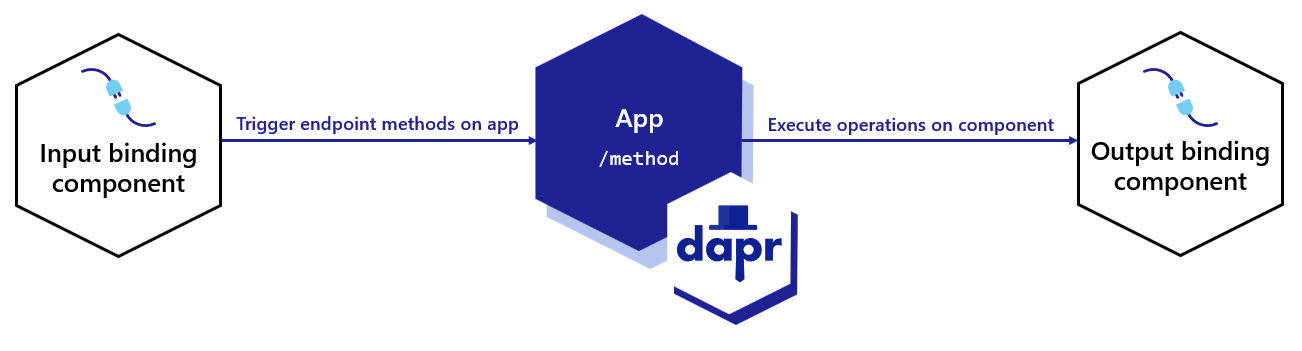
In the above diagram:
The input binding triggers a method on your application.
Execute output binding operations on the component, such as "create".
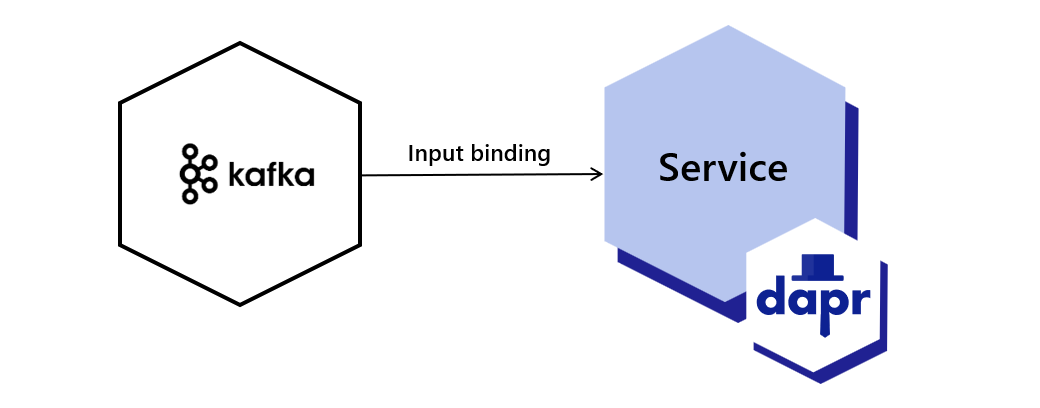
With input bindings, you can trigger your application when an event from an external resource occurs. An optional payload and metadata may be sent with the request.
Define the component YAML that describes the binding type and its metadata (connection info, etc.).
Listen for the incoming event using:
An HTTP endpoint
The gRPC proto library to get incoming events.
Note
On startup, Dapr performs input binding subscription discovery by probing the application (HTTP OPTIONS request or gRPC ListInputBindings call). For HTTP apps, if the application wants to subscribe to the binding, Dapr expects a status code of 2xx or 405. For gRPC apps, the application subscribes by including the binding name in its ListInputBindings response.
This discovery probe times out after 3s by default. If your application is slow to respond on startup (for example, JVM/JIT workloads), increase the timeout with the --app-binding-options-timeout daprd flag or the dapr.io/app-binding-options-timeout annotation. See arguments and annotations overview.
You can provide the direction metadata field to indicate the direction(s) supported by the binding component. In doing so, the Dapr sidecar avoids the "wait for the app to become ready" state, reducing the lifecycle dependency between the Dapr sidecar and the application:
"input"
"output"
"input, output"
Note
It is highly recommended that all input bindings should include the direction property.
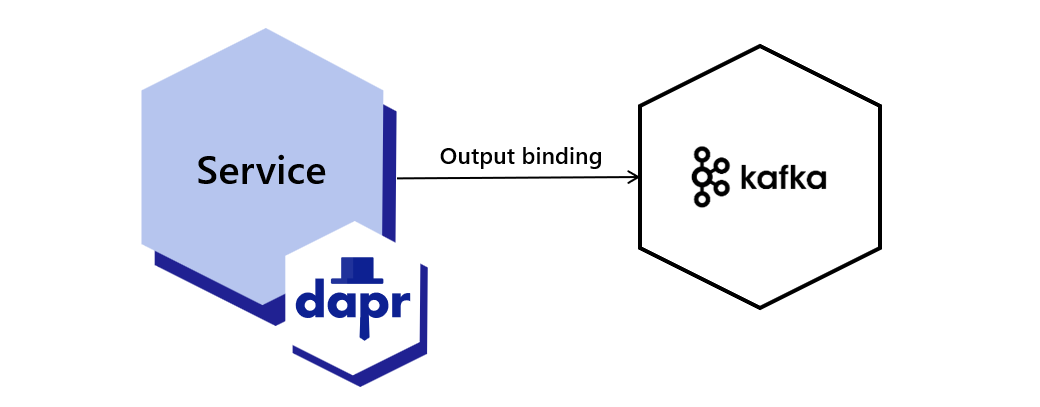
Demonstrates how to use Dapr to create input and output bindings to other components. Uses bindings to Kafka.
Start using bindings directly in your app
Want to skip the quickstarts? Not a problem. You can try out the bindings building block directly in your application to invoke output bindings and trigger input bindings. After Dapr is installed, you can begin using the bindings API starting with the input bindings how-to guide.
2 - How-To: Trigger your application with input bindings
Use Dapr input bindings to trigger event driven applications
With input bindings, you can trigger your application when an event from an external resource occurs. An external resource could be a queue, messaging pipeline, cloud-service, filesystem, etc. An optional payload and metadata may be sent with the request.
Input bindings are ideal for event-driven processing, data pipelines, or generally reacting to events and performing further processing. Dapr input bindings allow you to:
Receive events without including specific SDKs or libraries
Replace bindings without changing your code
Focus on business logic and not the event resource implementation
This guide uses a Kafka binding as an example. You can find your preferred binding spec from the list of bindings components. In this guide:
The example invokes the /binding endpoint with checkout, the name of the binding to invoke.
The payload goes inside the mandatory data field, and can be any JSON serializable value.
Configure your application to receive incoming events. If you’re using HTTP, you need to:
Listen on a POST endpoint with the name of the binding, as specified in metadata.name in the binding.yaml file.
Verify your application allows Dapr to make an OPTIONS request for this endpoint. This request times out after 3s by default. If your application is slow to respond on startup, increase the timeout with the --app-binding-options-timeout daprd flag or the dapr.io/app-binding-options-timeout Kubernetes annotation.
Below are code examples that leverage Dapr SDKs to demonstrate an input binding.
The following example demonstrates how to configure an input binding using ASP.NET Core controllers.
Tell Dapr you’ve successfully processed an event in your application by returning a 200 OK response from your HTTP handler.
Reject an event
Tell Dapr the event was not processed correctly in your application and schedule it for redelivery by returning any response other than 200 OK. For example, a 500 Error.
Specify a custom route
By default, incoming events will be sent to an HTTP endpoint that corresponds to the name of the input binding. You can override this by setting the following metadata property in binding.yaml:
Event delivery guarantees are controlled by the binding implementation. Depending on the binding implementation, the event delivery can be exactly once or at least once.